Sites & SEO
Websites, Funnels & Blog
Build your practice site, landing pages and blog, and let AI draft the first version from a prompt.
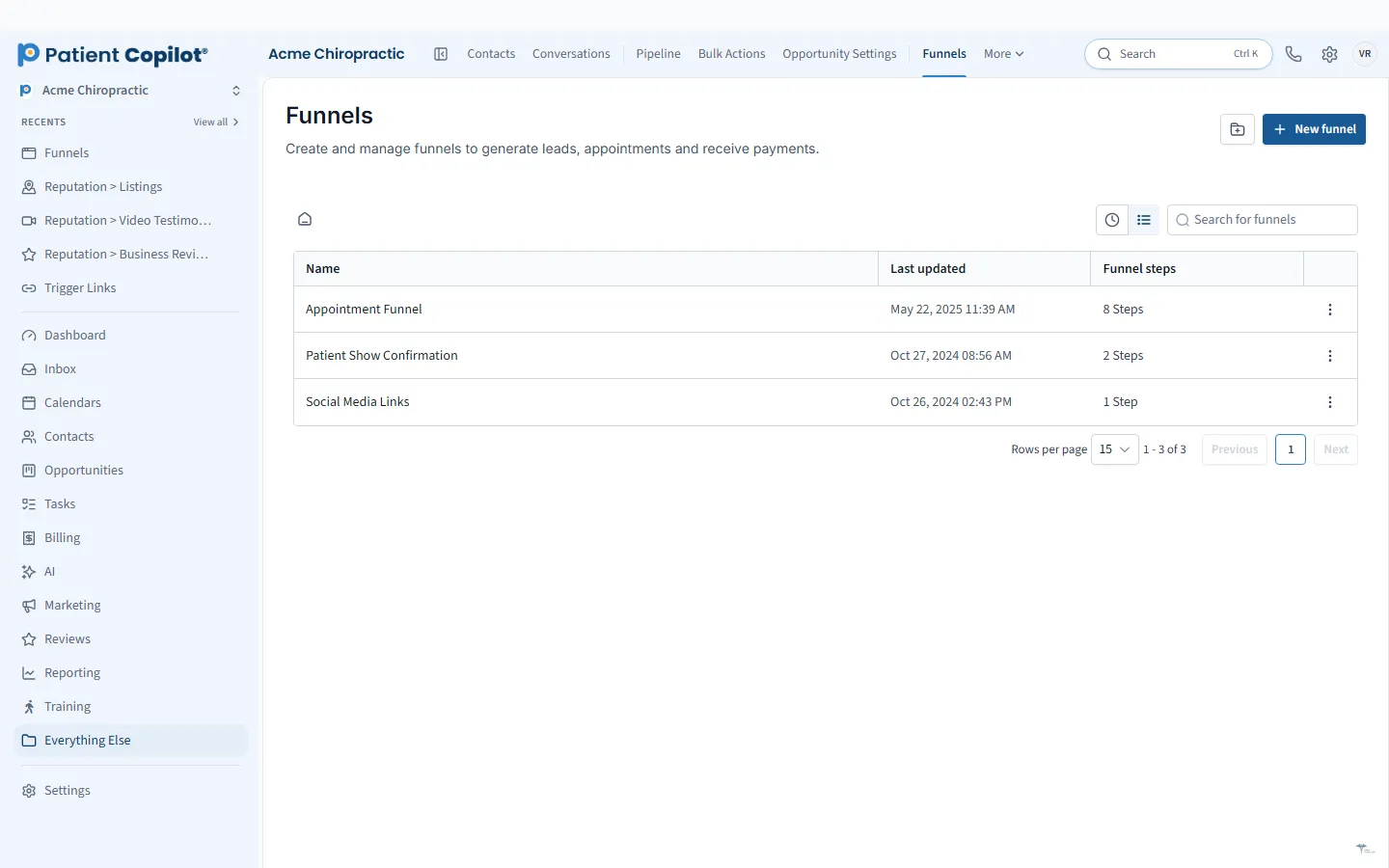
What it does
What Websites, Funnels & Blog gives your practice
- Drag-and-drop website and funnel builder
- AI Studio drafts a site or layout from a simple prompt
- Pages connect to forms, booking and chat
- Blog builder with categories and author profiles
- AI help drafting posts, shared to social in one click
- Custom domains and URL redirects
Websites, Funnels & Blog in detail
Chiropractic website design works best when the site is part of the same system that handles your calendar, forms and patient messages. PatientCopilot gives you a website, funnel and blog builder inside the platform, so every page can send visitors straight into booking, intake or a conversation with your team.
Practice websites that convert
A practice website has one job: turn a search into a booked visit. The drag-and-drop builder lets you create service pages, an about page, a contact page and a new-patient page without hiring a developer.
- Edit layouts visually, no code required
- Use AI Studio to draft a site or page layout from a short prompt
- Add booking, forms and chat to any page
- Set up custom domains and URL redirects
Chiropractors, physical therapists, med spas and other practices can all start from a clean layout and adjust the wording to fit their own services.
New-patient funnels and landing pages
A healthcare landing page should do one thing well. A funnel strings a few pages together: an offer page, a form or booking step, and a thank-you page. Because funnels live in the same account as your contacts, anyone who fills one out becomes a patient record you can follow up with by text or email.
Common funnels for practices include:
- A new-patient exam offer
- A workshop or event registration page
- A referral or reactivation campaign page
Blog and content
The blog builder includes categories and author profiles, so your articles show who wrote them. AI can help draft posts, and a finished post can be shared to your social accounts in one click. Fresh, useful posts about the conditions you treat give search engines and patients more reason to find your site.
Forms and booking built in
Pages connect to the rest of the platform. A visitor can book online, fill out an intake form or start a chat, and that activity shows up in your Patient Inbox and pipeline. You do not need a separate form plugin or scheduling tool bolted onto the site.
How it works
- Choose a starting layout, or describe your practice to AI Studio and let it draft one.
- Edit pages in the drag-and-drop builder and add your services, photos and hours.
- Add booking, forms and chat where visitors need them.
- Connect your custom domain and set up any URL redirects.
- Publish, then watch new leads arrive in your pipeline.
Speed and SEO basics
Good design supports search. Use clear page titles, one topic per page, and readable headings. If you want deeper local search tools, the Local SEO feature adds an on-page editor and schema markup, and it pairs with your listings and Google Business Profile work.
Moving from an older site is straightforward in principle: rebuild the key pages, redirect the old addresses to the new ones, and keep the same domain. Redirects help visitors and search engines find your content after the move.
A few practical habits make a site perform better. Write for the patient who is searching with a problem in mind, and say plainly what you treat, who you treat and how to book. Use real photos of your office and team where you can, since patients want to know who they will meet. Keep one clear button on every page, such as Book Now, and repeat it at the bottom. Review your pages every quarter: update hours, remove outdated offers and check that every form and booking link still works. Because the website, forms and calendar share one account, a change in one place carries through to the others, which saves your team from maintaining several separate tools.
FAQ
Websites, Funnels & Blog questions
What should a chiropractic website include?
At minimum: your services, your location and hours, a clear way to book, an intake or contact form, and reviews or testimonials. PatientCopilot pages can connect directly to booking, forms and chat so each visitor has an obvious next step.
Do I need a funnel as well as a website?
A website explains your practice. A funnel is a short, focused path for one offer, such as a new-patient exam, with a single call to action. Most practices benefit from both, and you can build both in PatientCopilot.
Can I use my own domain?
Yes. The platform supports custom domains and URL redirects, so you can keep your existing web address.
Can AI help me build the site?
AI Studio can draft a site or layout from a simple prompt. You then edit the pages with the drag-and-drop builder before publishing.
Learn more
Go deeper on Websites, Funnels & Blog
Ready to get started?
Sign up today and put an AI copilot on your front desk. Backed by a 14-day money-back guarantee.
14-day money-back guarantee. Cancel anytime.