AI
Website Chat & Text AI
A chat widget for your website plus two-way text handled by intent-aware AI.
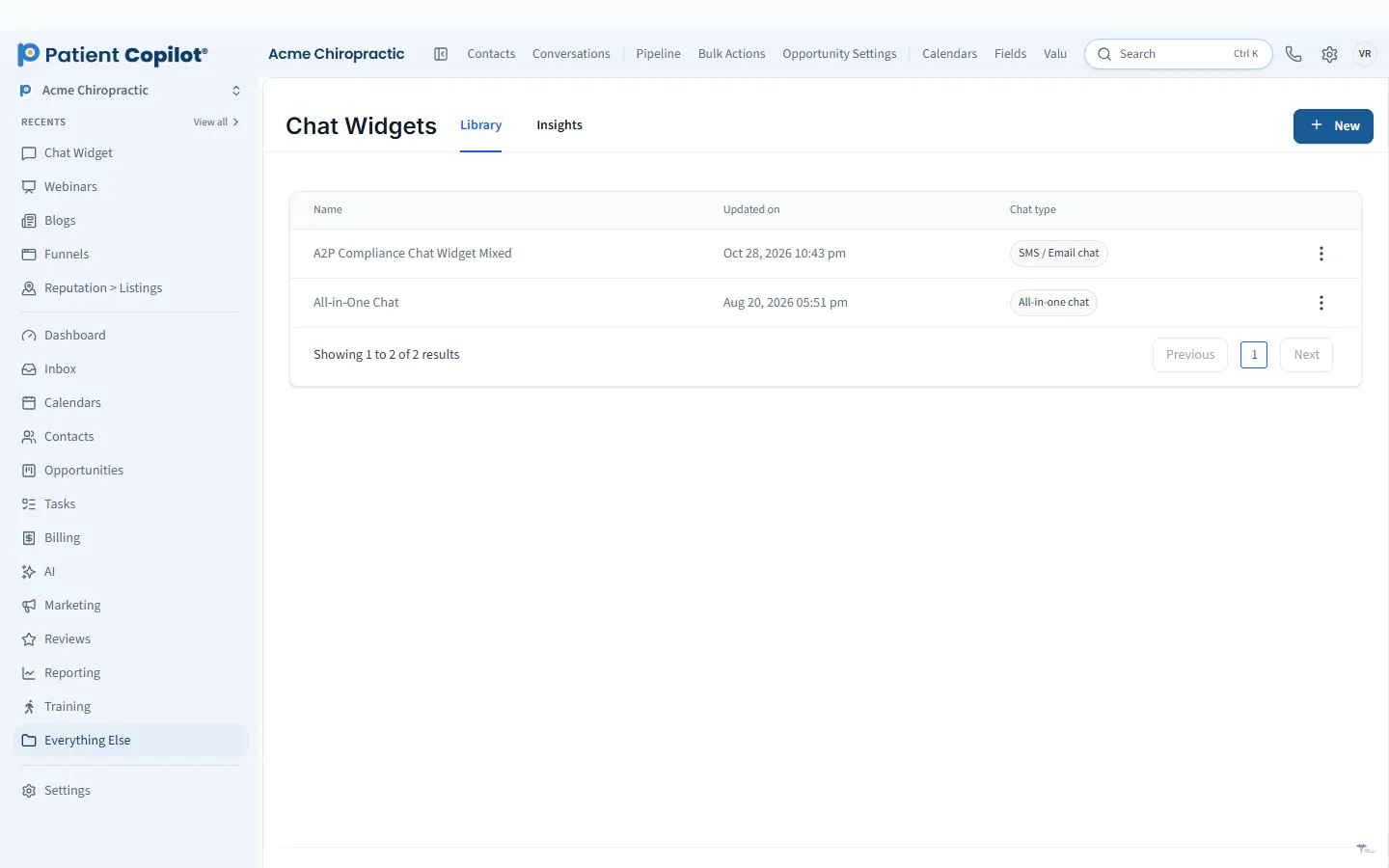
What it does
What Website Chat & Text AI gives your practice
- Add a chat widget to any page
- Visitors reach staff or the AI assistant
- Two-way text (SMS) handled by intent-aware AI
- Conversations land in the Patient Inbox
- Capture contact details from chats
Website Chat & Text AI in detail
Website chat for a medical practice turns visitors who have a quick question into patients who feel heard. PatientCopilot gives you a chat widget for your website and two-way text messaging handled by intent-aware AI, so people get a reply right away, even when your office is closed.
Chat that answers and captures leads
Most visitors do not call. They want a fast answer to a simple question: Do you take new patients? Where are you located? What happens at the first visit? A chat widget on any page lets them ask without picking up the phone.
- Add a chat widget to any page of your website
- Visitors can reach staff or the AI assistant
- Contact details are captured from chats so no inquiry disappears
- Every conversation lands in your Patient Inbox
Two-way text handled by intent-aware AI
Many patients prefer texting. Text AI reads what the patient is asking and responds accordingly, whether that is a question about hours, directions or booking. Intent-aware means it works out what the person wants rather than matching a single keyword.
Your team can step in at any time, and the AI hands over when a human should take the conversation.
Set clear expectations on your site. A short line near the chat widget that says who answers and when helps visitors trust it. Review a few real conversations each week, add answers the AI missed to your content and keep the tone friendly. Small adjustments like these make the widget feel like part of your front desk.
How it works
- Add the chat widget to your website pages.
- Set up your AI assistant with your practice information, such as hours, services and policies.
- A visitor opens the chat or a patient sends a text.
- The AI answers and captures contact details, or routes to staff.
- Your team follows up from the Patient Inbox.
Coverage after hours
Evenings and weekends are when many people research care. Chat and text AI keep the conversation going while the office is closed. The next morning your team sees the full thread, the visitor's details and what was already answered, and can pick up from there.
Handoff to your team
AI is helpful for common questions. Some conversations need a person. Because everything lands in one inbox, your team can read the history and reply without asking the patient to repeat themselves. You can also assign conversations to team members so nothing is left unclaimed.
Built for chiropractors and other practices
- Chiropractors: answer first-visit questions and capture new-patient inquiries.
- Physical therapists: respond to referral and insurance questions.
- Dental offices: share hygiene and emergency information quickly.
- Med spas and wellness practices: explain treatments and capture consultation requests.
Chat and text AI work best with the tools around them. Use Custom AI Agents to train the assistant on your own content, AI Scheduling to turn conversations into booked visits, and the Patient Inbox to keep every message in one place. Website Chat & Text AI is included in Copilot and in Autopilot.
FAQ
Website Chat & Text AI questions
Can a chatbot book appointments for my practice?
Chat can capture a visitor's details and guide them toward booking. For AI that books directly into your calendar, see AI Scheduling, which works across chat, text and web.
What happens after hours?
The chat widget and text AI keep responding when the office is closed, so visitors and patients are not left waiting until morning. Your team sees every conversation in the Patient Inbox.
Can visitors reach a real person?
Yes. Visitors can reach staff or the AI assistant, and conversations land in the Patient Inbox where your team can step in.
Where do chat and text conversations go?
They land in the Patient Inbox next to calls, email and other messages, so your team works from one place.
Learn more
Go deeper on Website Chat & Text AI
AI
Related features
-
AI Receptionist (Voice AI)
An AI voice agent that answers inbound calls and books appointments.
-
Custom AI Agents
Build custom AI agents with a visual builder and train them on your practice content.
-
AI Staff Assistant
An AI assistant for every staff member: ask questions in the app and draft posts, emails and messages in your practice voice.
Ready to get started?
Sign up today and put an AI copilot on your front desk. Backed by a 14-day money-back guarantee.
14-day money-back guarantee. Cancel anytime.