Reputation
Reviews & Testimonials
Request reviews automatically, draft replies with AI, track every review and collect video testimonials.
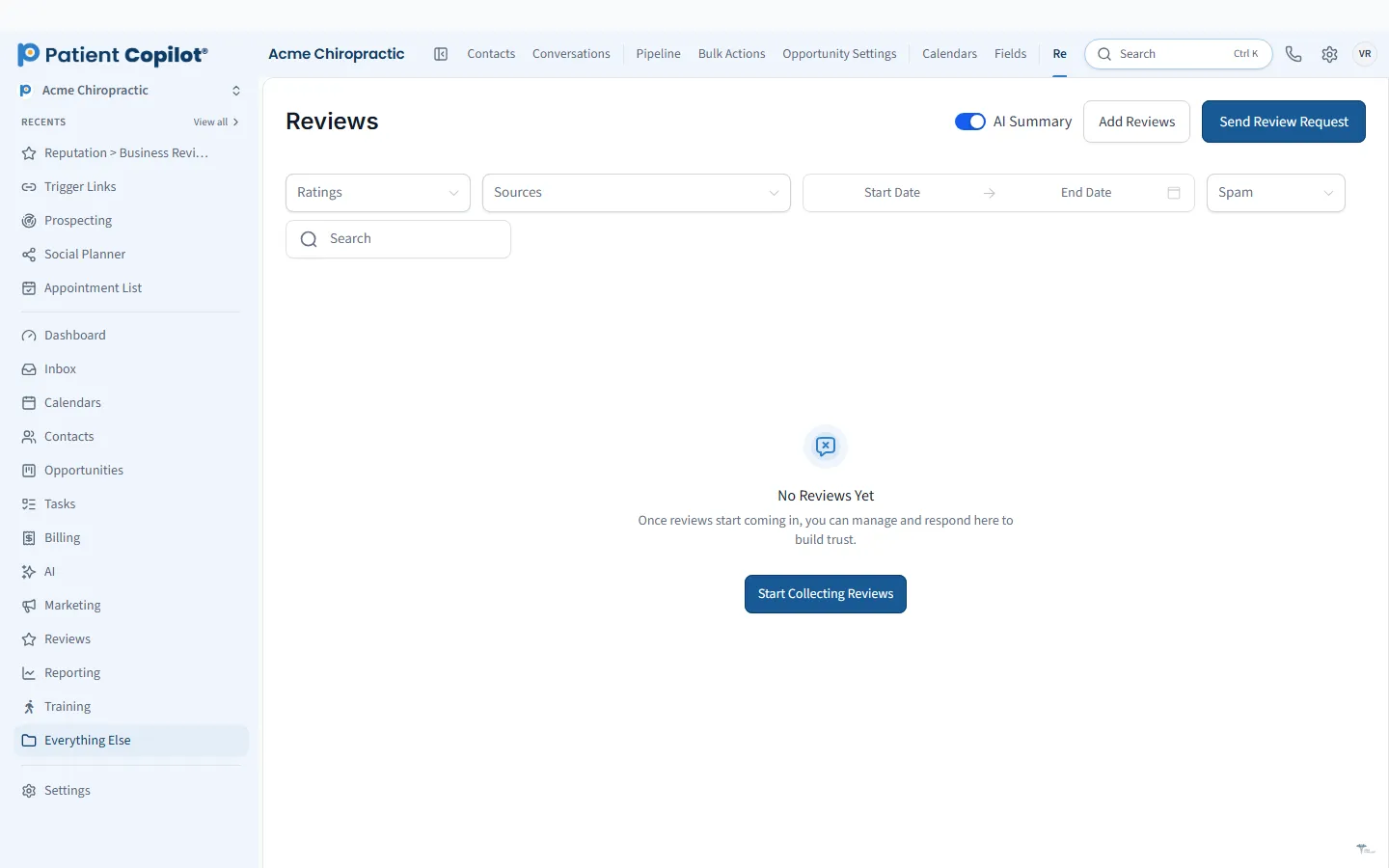
What it does
What Reviews & Testimonials gives your practice
- Automatic review requests after visits
- AI-drafted replies, with suggestive and auto-pilot modes
- Reviews from connected profiles in one view
- Review widgets you embed on your website
- Collect video testimonials from happy patients
- Use approved videos on your website
Reviews & Testimonials in detail
Reputation management software helps your practice earn, monitor and showcase the reviews patients rely on when choosing care. Reviews & Testimonials in PatientCopilot asks for reviews automatically, helps you reply with AI, tracks every review in one view and collects video testimonials from happy patients.
Automatic review requests
Most satisfied patients never leave a review simply because no one asked at the right moment. Automatic review requests go out after visits, so asking becomes consistent instead of depending on who remembers.
- Requests sent after visits
- A direct path for patients to leave a review
- Patient replies land in the Patient Inbox
Respond from one place
Reviews from connected profiles appear in one view, so you do not need to check several sites. AI can draft replies for you, in two modes:
- Suggestive mode, where AI drafts and you review
- Auto-pilot mode, where replies follow your settings
Prompt, courteous replies show future patients that you care. You can learn more on the AI review response page.
HIPAA-safe replies
Responding to reviews in healthcare takes care. Do not confirm that a reviewer is a patient and do not mention any health details, even if the reviewer shared them first. A general, kind reply that invites a conversation offline is the safest approach. Treat AI drafts as a starting point and review them before they go out, especially in auto-pilot mode.
Make asking part of your routine. Train the team to mention the review request at checkout and let the automatic request follow up. Thank patients who leave reviews, and respond to every review, positive or negative, in a consistent and professional tone.
How it works
- Connect your review profiles and set up automatic review requests.
- Patients receive a request after their visit and leave a review.
- New reviews appear together in one view.
- AI drafts a reply in suggestive or auto-pilot mode.
- You approve or adjust replies, and feature your best reviews on your site.
Route unhappy patients privately
A concern is easier to resolve in conversation than in public. When feedback is negative, reach out by phone or a private message through the Patient Inbox to understand what happened and make it right. Handling concerns quickly often improves the outcome for everyone.
Showcase testimonials
Social proof matters most where patients decide:
- Review widgets you embed on your website
- Video testimonials collected from happy patients
- Approved videos displayed on your website
Only collect and use a testimonial with the patient's clear permission, and follow your profession's rules on testimonials.
Chiropractors, physical therapists, dentists, med spas and wellness practices all win new patients through reviews. A steady flow of recent, genuine feedback tells people what to expect before they ever walk in.
Reviews & Testimonials is included in the Copilot plan and in Autopilot, with a help center guide for reputation management. Pair it with Local Listings & Google Profile to make sure patients find you and see accurate information.
FAQ
Reviews & Testimonials questions
How do I get more Google reviews as a practice?
Ask every satisfied patient while the visit is fresh. Automatic review requests after visits make that consistent, and a direct link makes it easy for patients to respond.
Can I respond to a review without violating HIPAA?
Be careful. Replies should avoid confirming that someone is a patient or sharing any health details. Use AI-drafted replies as a starting point, and review them before they are posted.
What are suggestive and auto-pilot reply modes?
In suggestive mode, AI drafts a reply for you to review. In auto-pilot mode, replies can be sent automatically according to your settings.
Can I show reviews on my website?
Yes. Review widgets embed on your website, and you can use approved video testimonials as well.
Learn more
Go deeper on Reviews & Testimonials
Ready to get started?
Sign up today and put an AI copilot on your front desk. Backed by a 14-day money-back guarantee.
14-day money-back guarantee. Cancel anytime.