Scheduling
Video Visits (Meeting Room)
Video meetings with patients, built into the platform.
What it does
What Video Visits (Meeting Room) gives your practice
- A personal room and team rooms for video meetings
- Meeting links you can attach to appointments
- Meeting integrations for outside video tools
- Described as video meetings, not as a separate telehealth product
Video Visits (Meeting Room) in detail
HIPAA compliant video conferencing does not have to mean another subscription and another login. The Meeting Room in PatientCopilot gives your practice video meetings inside the same platform you use for calendars, messages and patient records.
Video visits built into your calendar
Many practices bolt a video tool onto their schedule and hope staff remember to send the link. With the Meeting Room, video is part of the workflow.
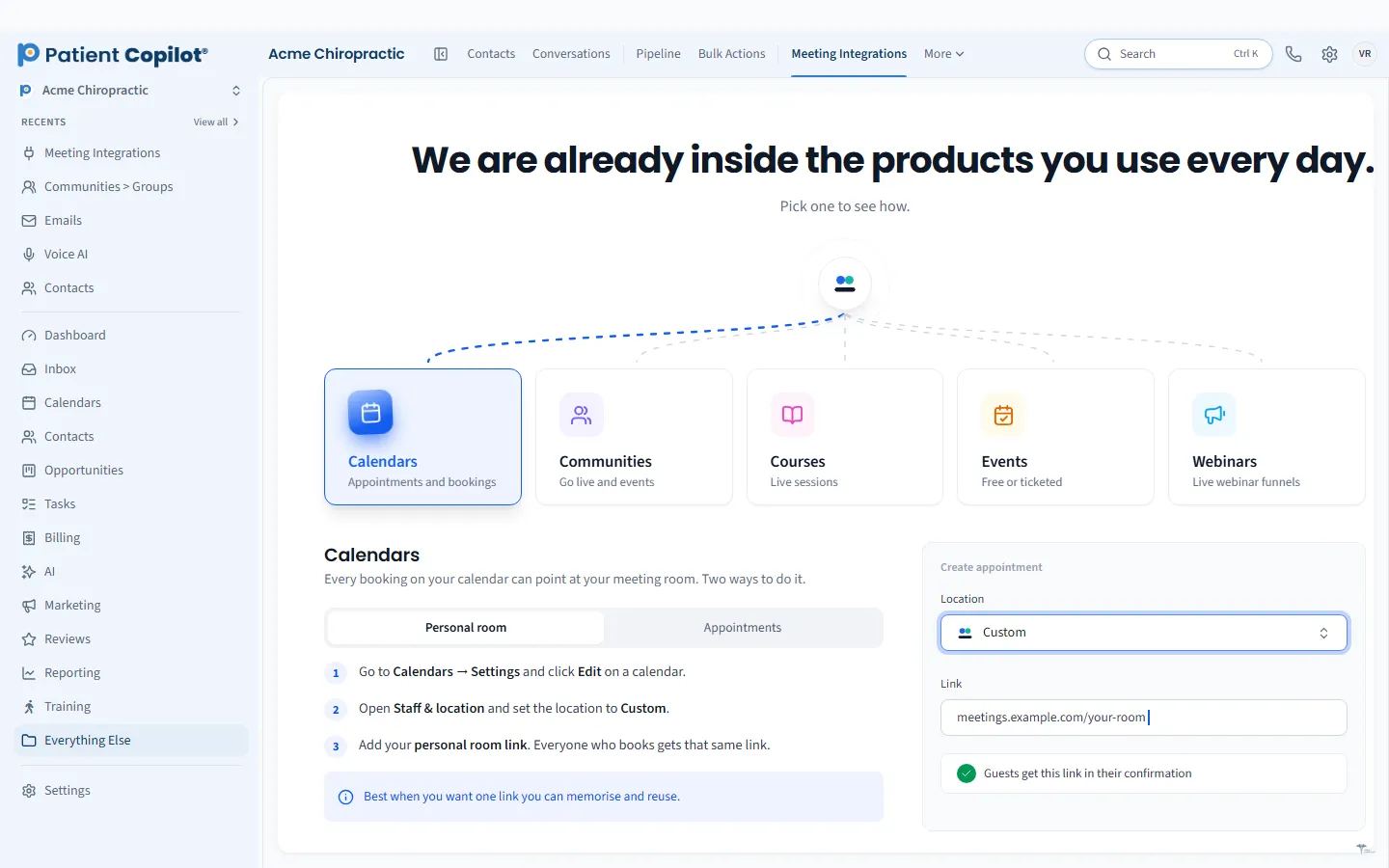
- A personal room for each provider and team rooms for group meetings
- Meeting links you can attach to appointments
- Meeting integrations for outside video tools when you need them
Patients get a link in their confirmation, and your team knows where to join.
Consults that suit your practice
Video is a good fit for visits that do not need a hands-on exam.
- Chiropractors: new-patient consults, report-of-findings reviews and follow-ups on home care.
- Physical therapy: check-ins on exercise progress.
- Dental offices: consultations and treatment-plan conversations.
- Med spas and wellness practices: consultations before a treatment or program.
We describe the Meeting Room as video meetings rather than a separate telehealth product, so use it where a video conversation makes sense for your care model and local rules.
Do a practice run before your first video visit. Join the room yourself, check your camera and sound, and send a test meeting link to a colleague. Tell patients in the confirmation how to join and what to have ready. A smooth first experience makes patients more likely to choose video again.
How it works
- Create a calendar for video consults, or add a meeting link to an existing appointment type.
- A patient books through your calendar or with your team.
- The confirmation and reminder include the meeting link.
- At the appointment time, you and the patient join the room.
- After the call, follow up in the Patient Inbox or with a task.
Reminders and follow-up
No-shows hurt video visits as much as in-person ones. Pair the Meeting Room with Appointment Reminders so patients get the link again shortly before the visit. Afterward, send a thank-you, a form or a next-step message from the Patient Inbox.
Privacy and security
Keep video visits in the platform rather than switching to personal accounts. PatientCopilot is a HIPAA-compliant platform, and using one system keeps patient communication in a single place your team manages. Check your state rules and your professional board guidance for telehealth, and use video where it is appropriate.
One place for the whole visit
Booking, reminders, video and follow-up all sit together, which means fewer links to chase and fewer tools to learn. The Meeting Room is included in the Copilot plan and in Autopilot. Pair it with Online Booking & Calendars to let patients choose a video slot themselves.
Finally, think about the whole video experience from the patient side. A short note on lighting, a quiet space and a charged device helps visits start on time, and a clear plan for what happens if the connection drops avoids frustration.
FAQ
Video Visits (Meeting Room) questions
Is video conferencing HIPAA compliant?
PatientCopilot is a HIPAA-compliant platform, and the Meeting Room keeps video meetings inside it. See the HIPAA Compliance page for details on how we approach compliance.
Is this a separate telehealth product?
No. The Meeting Room is video meetings built into the platform, not a separate telehealth product.
Can I attach a meeting link to an appointment?
Yes. You can attach meeting links to appointments so patients know where to join.
Can I use outside video tools?
Yes. Meeting integrations let you connect outside video tools if your team already uses them.
Scheduling
Related features
Ready to get started?
Sign up today and put an AI copilot on your front desk. Backed by a 14-day money-back guarantee.
14-day money-back guarantee. Cancel anytime.