CRM & Inbox
Patient Records & Lists
One record per patient, saved patient lists, and the custom details your practice needs to track.
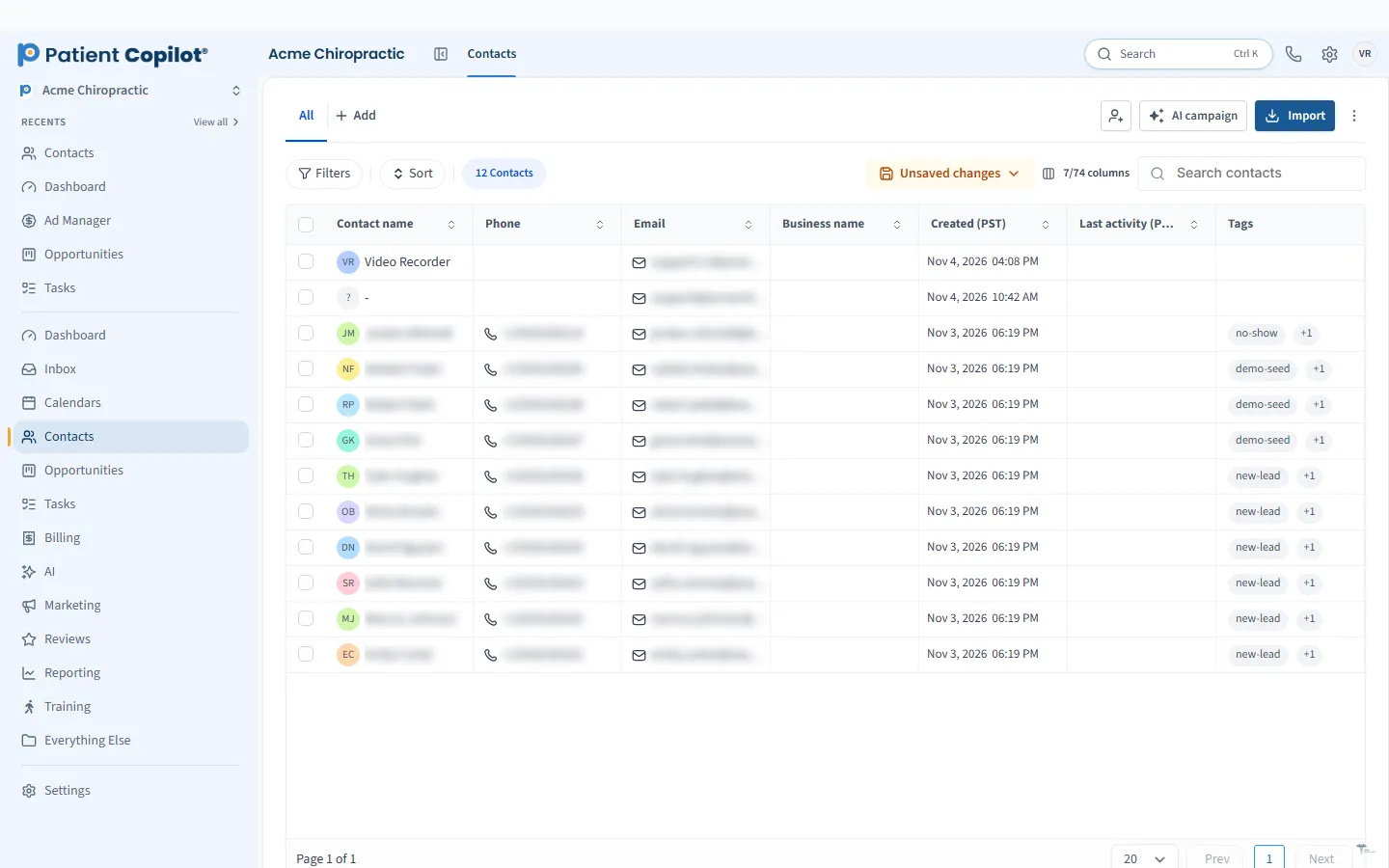
What it does
What Patient Records & Lists gives your practice
- Segment patients with saved, filtered lists
- Custom fields on patient and lead records
- Custom records for things that are not contacts
- Reusable custom values you can drop into messages
- Mirrors data into the platform; it is not an EHR chart
Patient Records & Lists in detail
Patient management software should make it easy to find a person, understand who they are and reach the right group of patients when you have something to say. Patient Records & Lists in PatientCopilot gives your practice one record per patient, saved lists for outreach and custom details to fit your intake.
Patient profiles in one view
Each patient has a single record that collects contact details and activity. Instead of hunting through separate tools, your team opens one profile and sees:
- Contact information and tags
- Conversations from text, email and chat
- Appointments and pipeline status
- Notes and tasks tied to the patient
It keeps front desk work fast and reduces mistakes caused by scattered information.
Smart lists and segments
Not every message belongs to every patient. Saved, filtered lists, known as Smart Lists, let you segment your patients:
- New patients who have not yet booked
- Patients who have not visited recently
- People interested in a specific service
- Anyone who matches a tag you choose
Save a list once and reuse it for campaigns, reminders or follow-up. You can read more on our smart lists and segmentation page.
Custom fields for your practice
Every practice tracks different details. Custom fields let you add the information your intake needs to patient and lead records, such as preferred contact method, referral source or area of concern. Custom values are reusable pieces of information you can drop into messages so communication stays personal.
Custom records for things that are not contacts
Some information does not belong on a person. Custom records let you track other items your practice cares about, such as equipment, programs or partner organizations. They mirror data into the platform so it can be used in your workflows.
Tidy data pays off later. Agree on how your team uses tags and custom fields, such as which tags mark a new patient or a lapsed one, and write the rules down. Consistent records make Smart Lists accurate, which makes campaigns, reminders and reactivation work far better.
How it works
- Add or import your patients and leads.
- Create custom fields for the details you collect at intake.
- Build a Smart List with the filters you need and save it.
- Use the list to send messages, run campaigns or review who needs follow-up.
- Update records as patients move through your practice.
What this is, and what it is not
Patient Records & Lists mirrors data into the platform to support communication and organization. It is not an EHR chart. If you want charting, SOAP notes and billing, that is the job of PatientCopilot EHR, a separate feature on the Autopilot plan. Use EHR Sync to avoid double entry if you keep another system for charting.
Chiropractors, physical therapists, dentists, med spas and wellness practices all depend on repeat visits. Clear records and tidy lists make it easier to remind patients, reactivate lapsed ones and welcome new ones. Patient Records & Lists is included in the Copilot plan and in Autopilot, and the help center has a guide for custom objects.
FAQ
Patient Records & Lists questions
What is patient management software?
It is software that keeps patient contact details and activity in one organized place. In PatientCopilot that means one record per patient, saved lists and custom fields for what your intake needs.
How do I segment patients for outreach?
Build Smart Lists with filters, such as tags or other record details, and save them. You can then reuse a list when you send messages or run campaigns.
Is this the same as an EHR chart?
No. Patient records and custom objects mirror data into the platform for communication and organization. They are not an EHR chart. PatientCopilot EHR is a separate feature on the Autopilot plan.
Can I track details that are not contacts?
Yes. Custom records let you track things that are not people, and custom fields let you add details to patient and lead records.
Learn more
Go deeper on Patient Records & Lists
Ready to get started?
Sign up today and put an AI copilot on your front desk. Backed by a 14-day money-back guarantee.
14-day money-back guarantee. Cancel anytime.