Marketing
Social Media Calendar
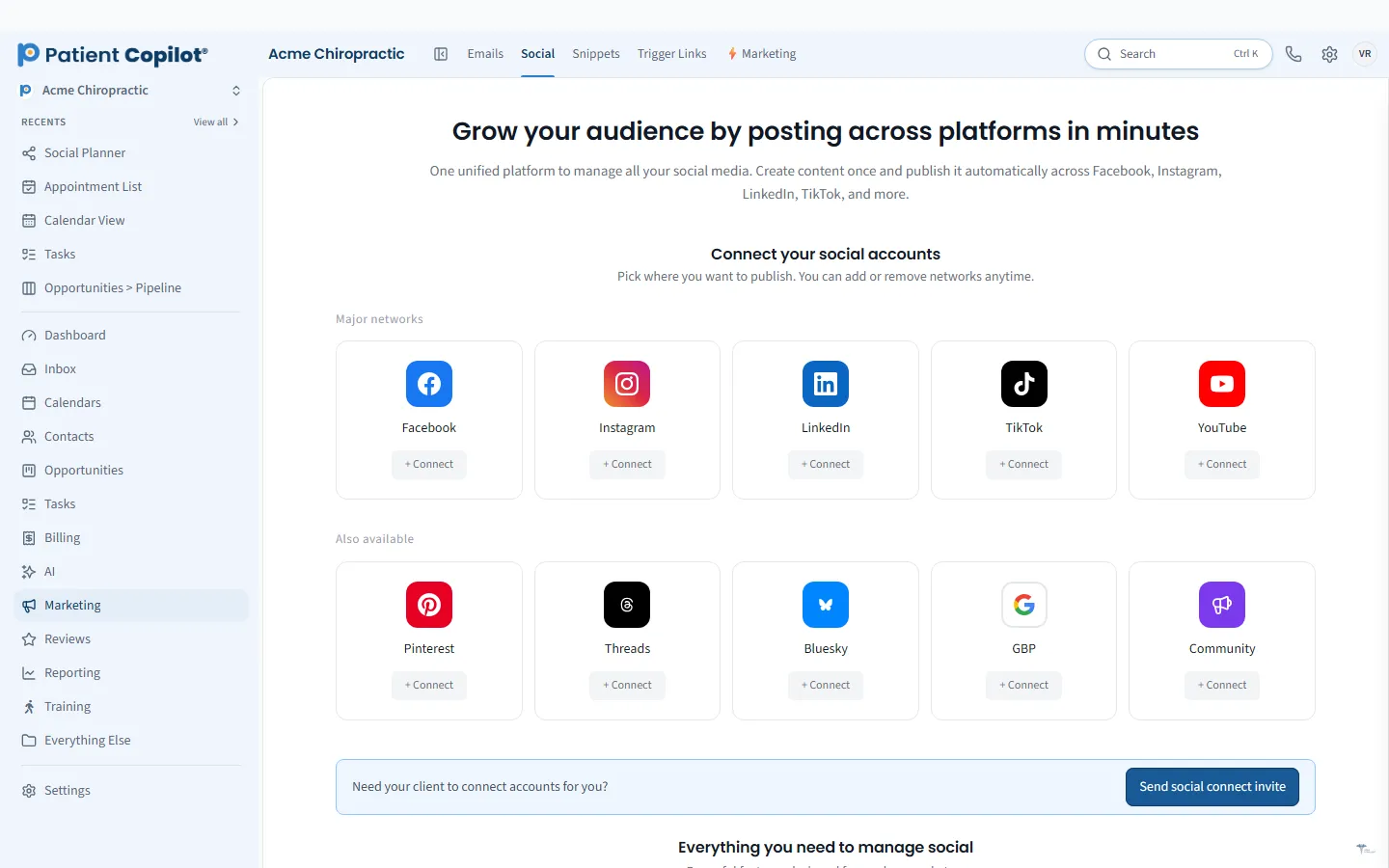
Plan and publish social posts from one calendar.
What it does
What Social Media Calendar gives your practice
- Schedule posts to connected social accounts
- AI help drafting captions in your brand voice
- Content calendar view
- Reuse approved posts
Social Media Calendar in detail
A social media content calendar keeps your practice posting without last-minute scrambling. The Social Media Calendar in PatientCopilot lets you plan a month of posts in one sitting and schedule them to your connected social accounts.
Plan a month of posts in one sitting
Posting consistently is hard when it competes with patient care. Planning ahead makes it manageable.
- Schedule posts to connected social accounts
- See everything on a content calendar view
- Reuse approved posts instead of starting from scratch
Block an hour at the start of the month, fill in the calendar and let it publish while you focus on patients.
AI-assisted captions in your brand voice
A blank caption box slows everyone down. AI can draft captions in your brand voice, which you then edit and approve. You stay in control of what your practice says. This is especially useful for topics you post on often, such as:
- Posture, movement and stretching tips
- Introductions to new team members
- Seasonal promotions and open houses
- Educational posts about common conditions in plain language
Post ideas by practice type
- Chiropractors: ergonomic tips, what to expect at a first visit, patient education.
- Physical therapy: exercise demonstrations and recovery milestones.
- Dental offices: hygiene tips and appointment reminders.
- Med spas and wellness practices: treatment explainers and seasonal offers.
Mix your content so the feed does not feel like an advertisement. A reasonable blend is education, team and community moments, and the occasional offer. Review what gets the most response each month and plan more of it. A calendar makes that kind of review easy.
How it works
- Connect your social accounts.
- Open the content calendar and choose a day.
- Write a post or draft one with AI help in your brand voice.
- Add images or video and set the publish time.
- Review the calendar for gaps, and reuse approved posts when they fit.
Keep content safe and appropriate
Healthcare posts need extra care. Avoid sharing identifiable patient information, get permission before featuring a patient, and follow your profession's advertising rules. Having a review step before scheduling gives your team time to check each post.
Tie social to the rest of your marketing
Posts work harder when they connect to everything else you do. Put trackable links and QR codes in your posts to see what gets attention, point readers to your booking calendar, and invite happy patients to leave reviews. When someone replies through Facebook or Instagram messages, the conversation lands in the Patient Inbox.
The calendar helps a small team share the work. One person drafts, another reviews, and the schedule shows what is coming. Social Media Calendar is included in the Copilot plan and in Autopilot, and the help center has a guide for the social planner.
Finally, keep a simple log of ideas. Whenever a patient asks a good question or your team shares a tip, jot it down. Those notes become next month's posts, and the calendar makes sure they actually get published.
FAQ
Social Media Calendar questions
How often should a chiropractor post on social media?
Consistency matters more than volume. Many practices choose a rhythm they can keep, such as a few posts per week, and use the calendar to plan it ahead.
Can AI write my posts?
AI can help draft captions in your brand voice. You review and edit every caption before it is scheduled.
Can I reuse posts I already approved?
Yes. You can reuse approved posts so good content does not go to waste.
Do I need to post patient testimonials?
No. Only share patient stories or images with the patient's permission and in line with the rules for your profession.
Marketing
Related features
Ready to get started?
Sign up today and put an AI copilot on your front desk. Backed by a 14-day money-back guarantee.
14-day money-back guarantee. Cancel anytime.