Scheduling
Online Booking & Calendars
Let patients book themselves against real availability.
What it does
What Online Booking & Calendars gives your practice
- Booking links and embeddable calendars
- Round-robin and collective calendars for multi-provider practices
- Services and add-ons patients can choose
- Two-way sync with outside calendars
Online Booking & Calendars in detail
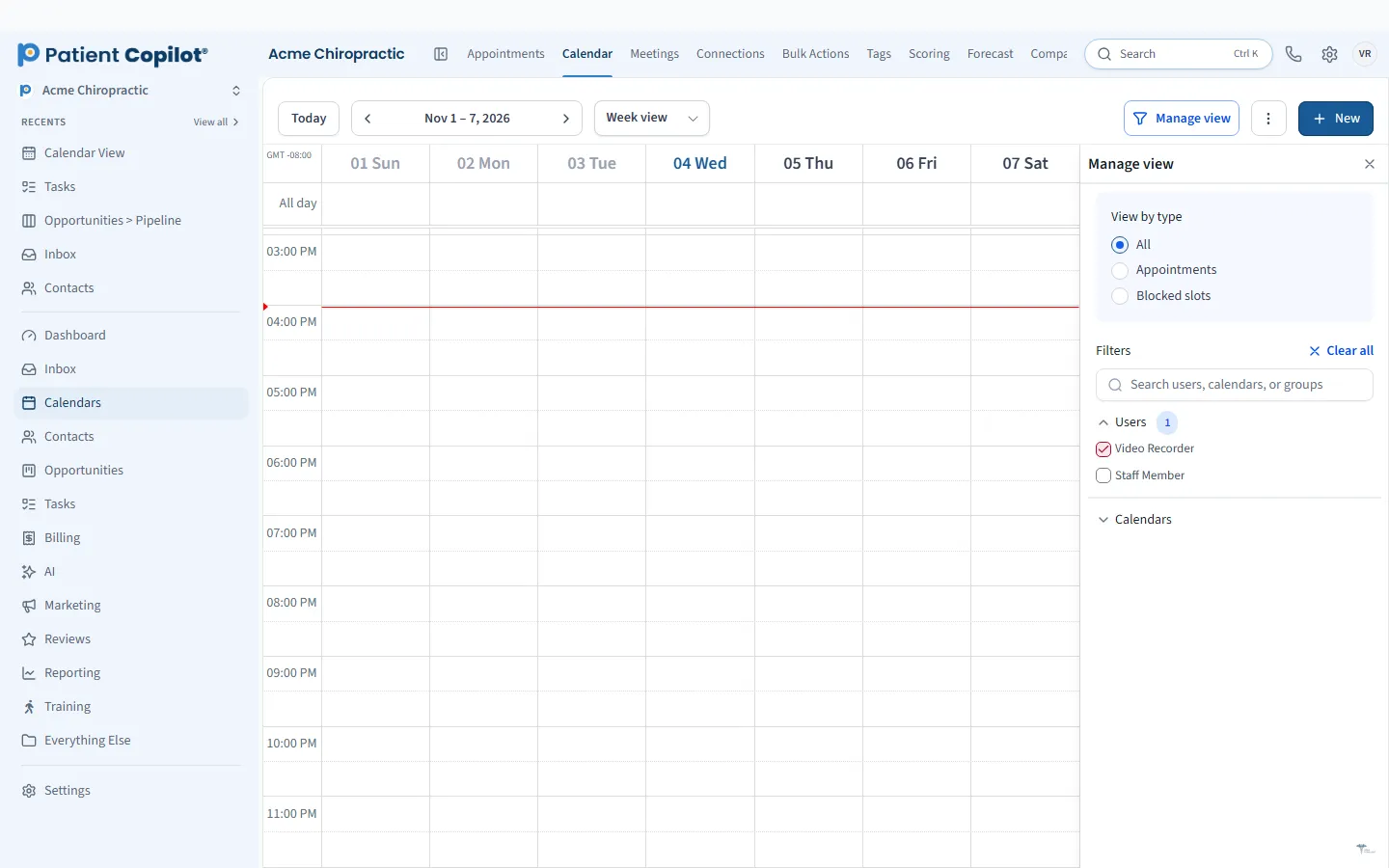
Chiropractic online booking should feel as easy as ordering dinner. Patients pick an opening, confirm and get on with their day. Online Booking & Calendars in PatientCopilot lets patients book themselves against real availability, so your front desk is not trading messages to find a time.
Online booking that fills your schedule
Phone-only scheduling shuts out anyone who thinks of booking after hours. A booking page that is always open captures that demand.
- Share booking links in texts, emails and social profiles
- Embed calendars directly on your website
- Show only real openings, so there is nothing to untangle later
Rules by provider and visit type
A solo chiropractor and a ten-provider clinic need different setups. Calendars can be shaped to fit:
- Round-robin calendars that rotate patients across providers
- Collective calendars that show times when several team members are available
- Services and add-ons that patients can choose
- Availability and buffer settings that match how your schedule really runs
Physical therapy, dental, med spa and wellness practices can create a calendar for each service, such as a new-patient exam, a hygiene visit or a facial.
Calendar sync
Two-way sync with outside calendars helps prevent double bookings. When a provider blocks time elsewhere, that time stops showing as available, and new appointments appear where your team already looks.
Test your booking page the way a patient would. Open it on a phone, pick a service, choose a time and read the confirmation. If anything feels confusing, change the service names or descriptions. Clear wording on the booking page reduces calls and prevents patients from picking the wrong visit type.
How it works
- Create a calendar for a provider, a team or a service.
- Set availability and any services or add-ons patients can choose.
- Share the booking link or embed the calendar on your website.
- Patients choose a time and receive a confirmation.
- Your team sees the appointment on the schedule, with the patient record attached.
Book from your website, links and texts
Patients should be able to book from wherever they see you. Place the link on your website, in a text reply, in an email signature or behind a QR code on a flyer. Our Trackable Links & QR Codes feature can show which placements get used.
Reduce no-shows with reminders
Booking is only the first step. Pair your calendars with Appointment Reminders so patients get confirmations and nudges before the visit. That combination is one of the simplest ways to protect your schedule.
If you want the booking conversation itself handled for you, AI Scheduling uses the same calendars to book patients from chat and text. Online Booking & Calendars is included in the Copilot plan and in Autopilot, and the help center has a guide for calendars and appointments.
Finally, review your calendar settings every few months. Providers change hours, services come and go, and seasonal demand shifts. A quick check keeps your booking page accurate and your schedule balanced across the week.
FAQ
Online Booking & Calendars questions
Can patients book online 24/7?
Yes. Patients can use a booking link or an embedded calendar at any hour and pick from your real openings.
Does it sync with outside calendars?
Yes. PatientCopilot supports two-way sync with outside calendars so personal or other calendars stay in step.
Can I run more than one provider?
Yes. Round-robin and collective calendars are built for multi-provider practices.
Can patients choose services or add-ons?
Yes. You can offer services and add-ons that patients select when they book.
Scheduling
Related features
Ready to get started?
Sign up today and put an AI copilot on your front desk. Backed by a 14-day money-back guarantee.
14-day money-back guarantee. Cancel anytime.